Transform your CDR data into actionable insights. Build custom dashboards, analyze trends across millions of records instantly, diagnose call issues, and schedule automated reports - all with a system designed for carrier-scale data volumes.
CDR Drill-Down & Contextual Trends
- Instant Contextual Trends - From any CDR record, instantly view historical trends for that IP or phone number
- One-Click Analysis - All graphs and metrics available as context menu options - no navigation required
- Pattern Recognition - Quickly identify if an issue is isolated or part of a larger trend
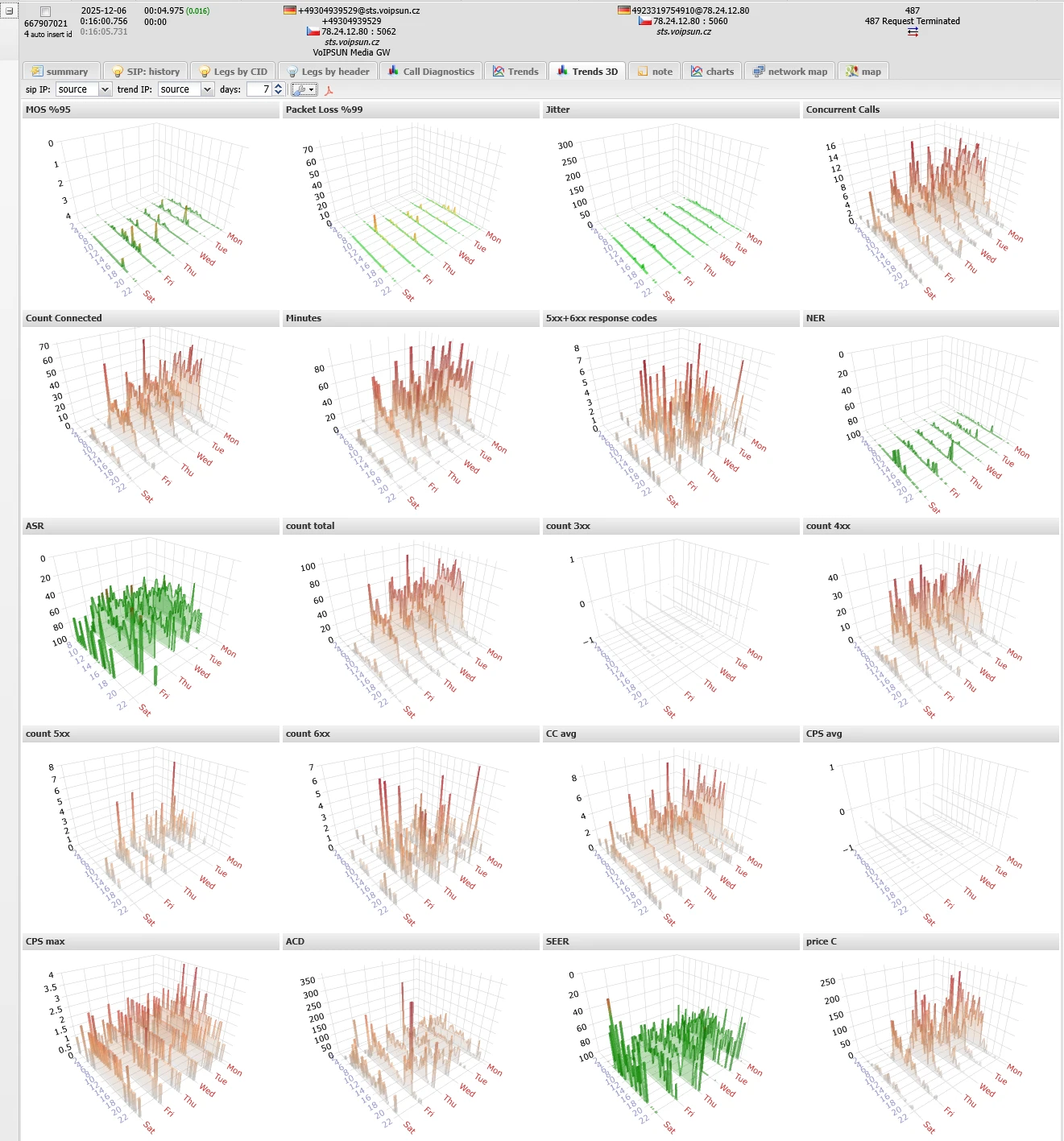
CDR drill-down: 7-day trends for MOS, packet loss, jitter, concurrent calls, minutes, SIP responses, NER, ASR, CPS, ACD, SEER, billing
Custom Dashboards
- Fully Customizable Views - Build dashboards tailored to your metrics - RTP quality, signaling stats, or combined views
- 2D & 3D Visualizations - Charts, graphs, and 3D representations for intuitive data exploration
- Data Direct from CDR - All visualizations pull live data from your call detail records
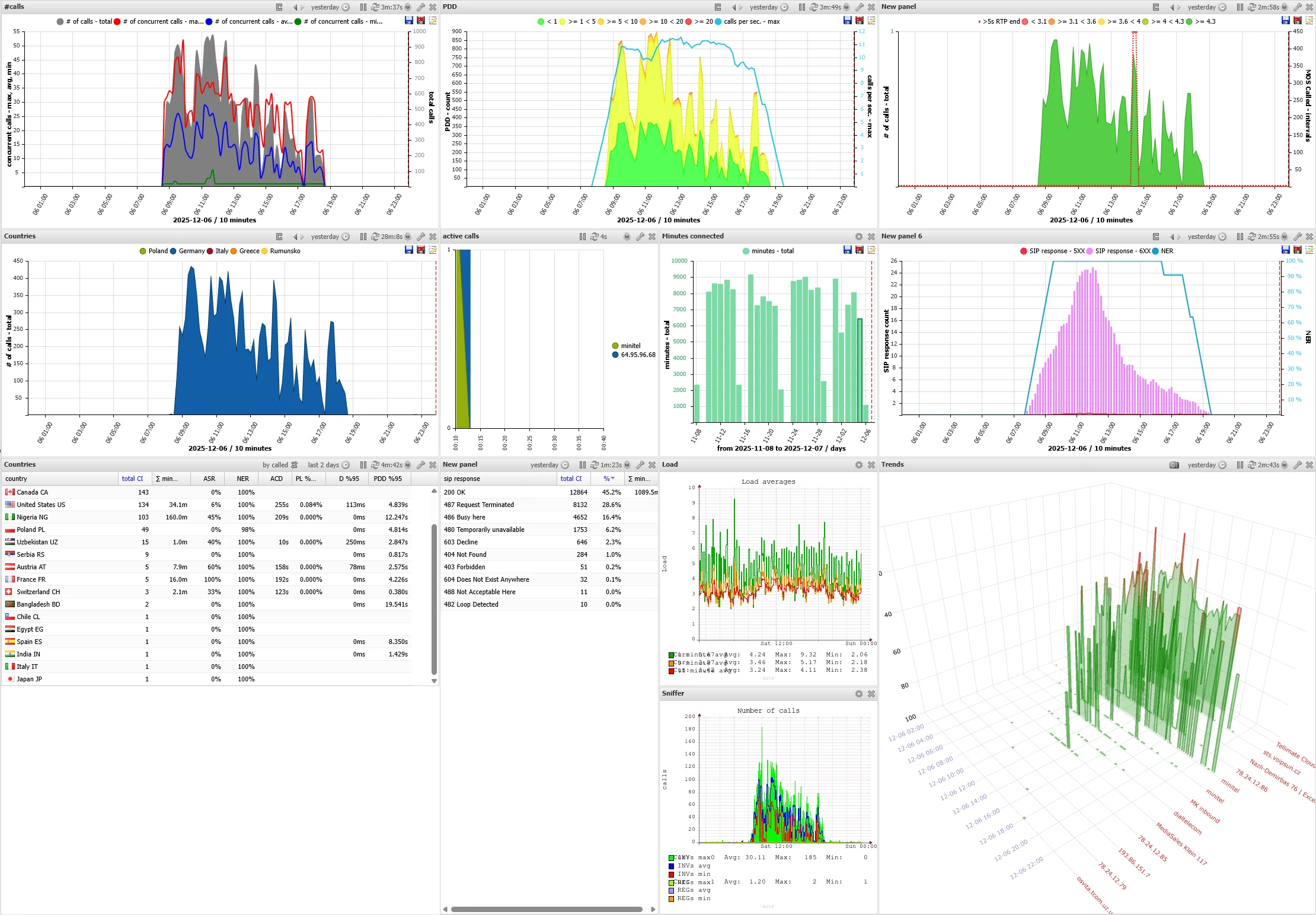
Dashboard panels: total calls, PDD, MOS, jitter, countries, minutes, load, 3D trends
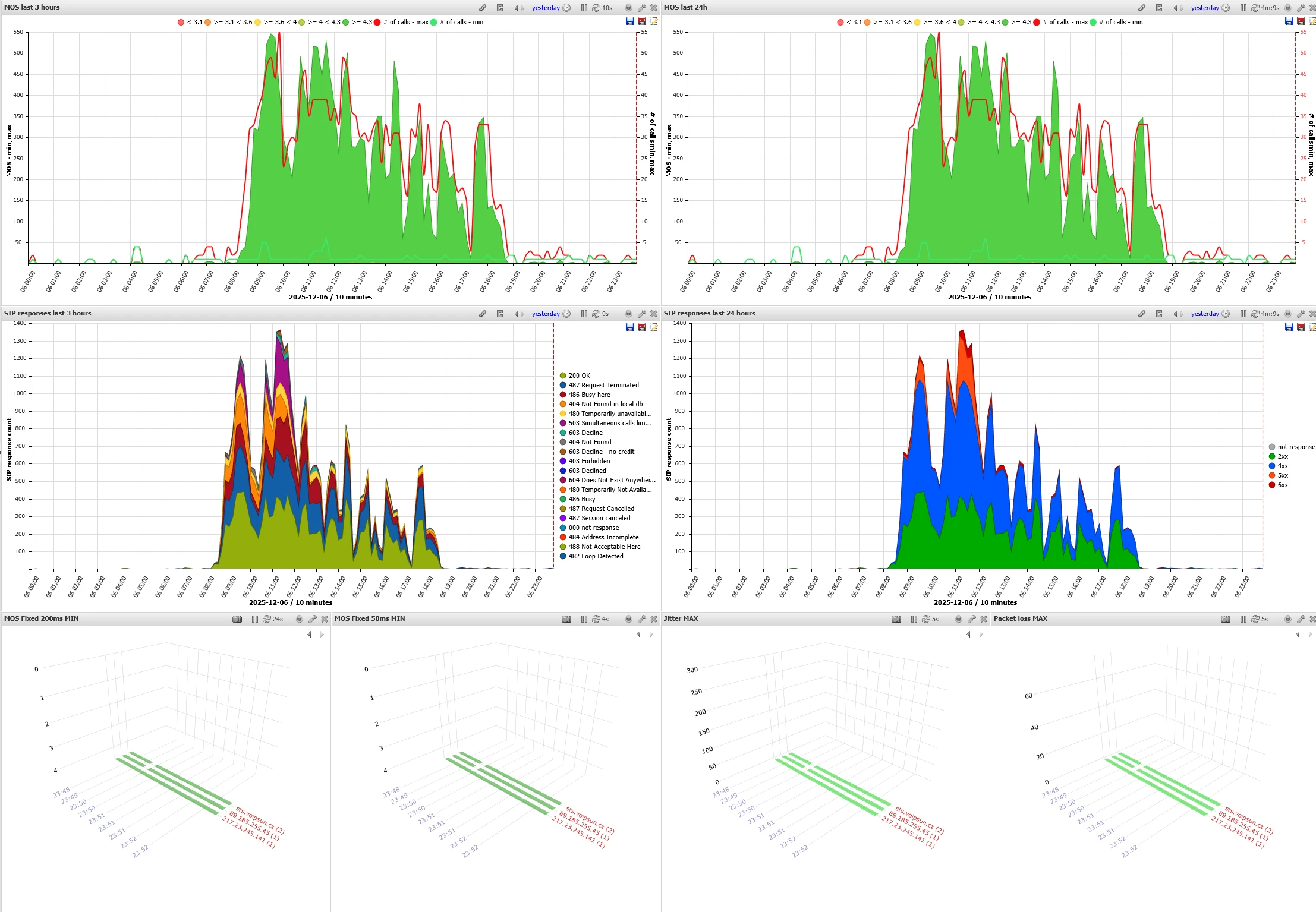
Dashboard with MOS distribution, SIP responses, and real-time MOS/jitter/packet loss
Instant Analytics with OLAP
- Automatic OLAP Generation - Pre-computed aggregations for instant trend visualization regardless of database size
- Tens/Hundreds of Millions of Records - No waiting - instant results even with massive datasets
- Per-IP/Number Trend Storage - Separate data stores for instant per-entity trend analysis
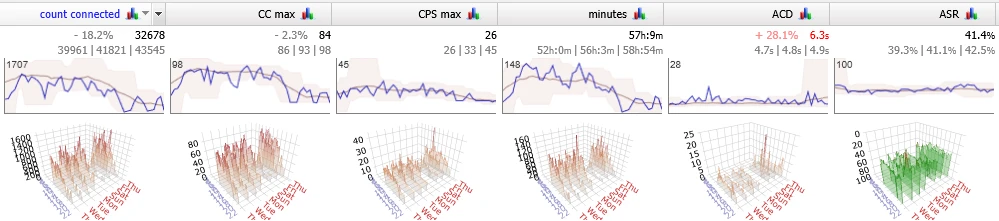
Trends for CC, CPS, minutes, ACD, ASR with weekly 3D overview
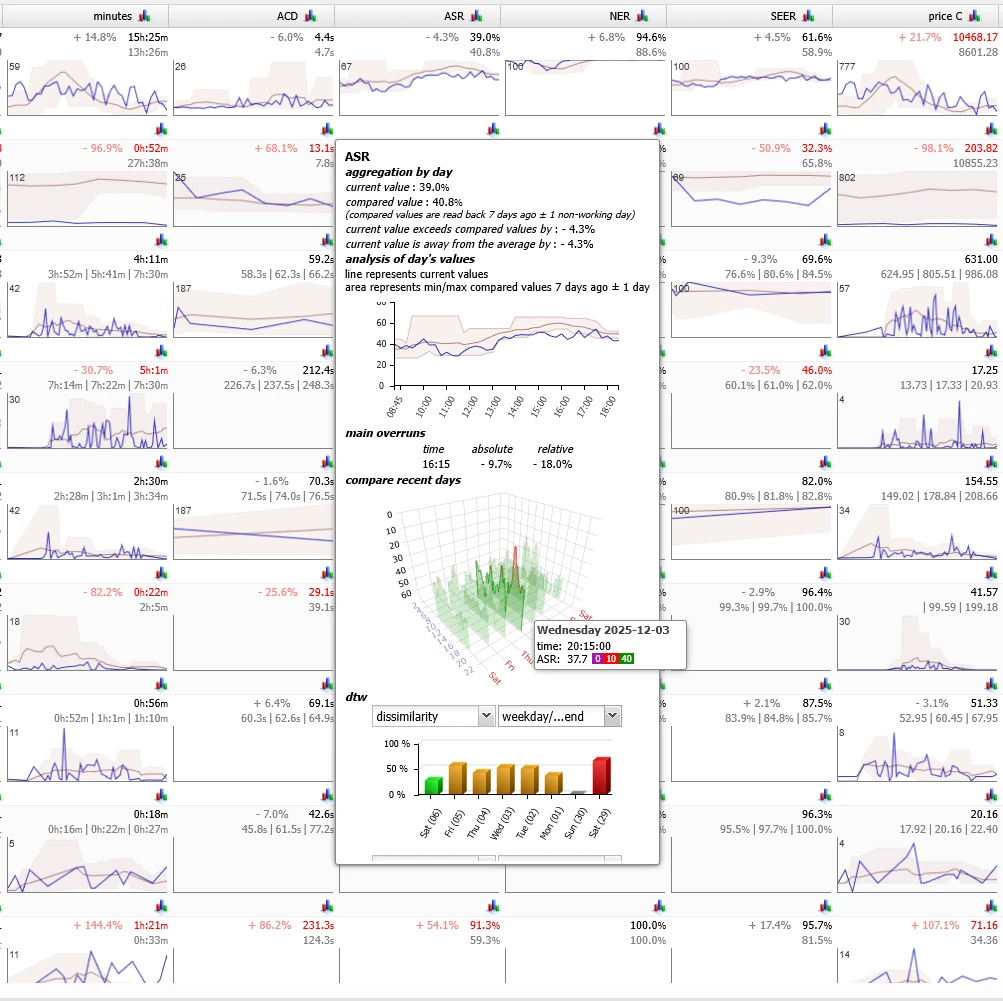
KPI trends: minutes, ACD, ASR, NER, SEER with detailed ASR breakdown
Key Metrics
- RTP Metrics - Jitter, packet loss, MOS, RTCP XR data, silence/clipping audio detection
- Signaling Metrics - ACD, ASR, NER, SEER, CPS, concurrent calls per IP/number
- Billing Data - Cost analysis, revenue tracking, margin calculations
Call Diagnostics
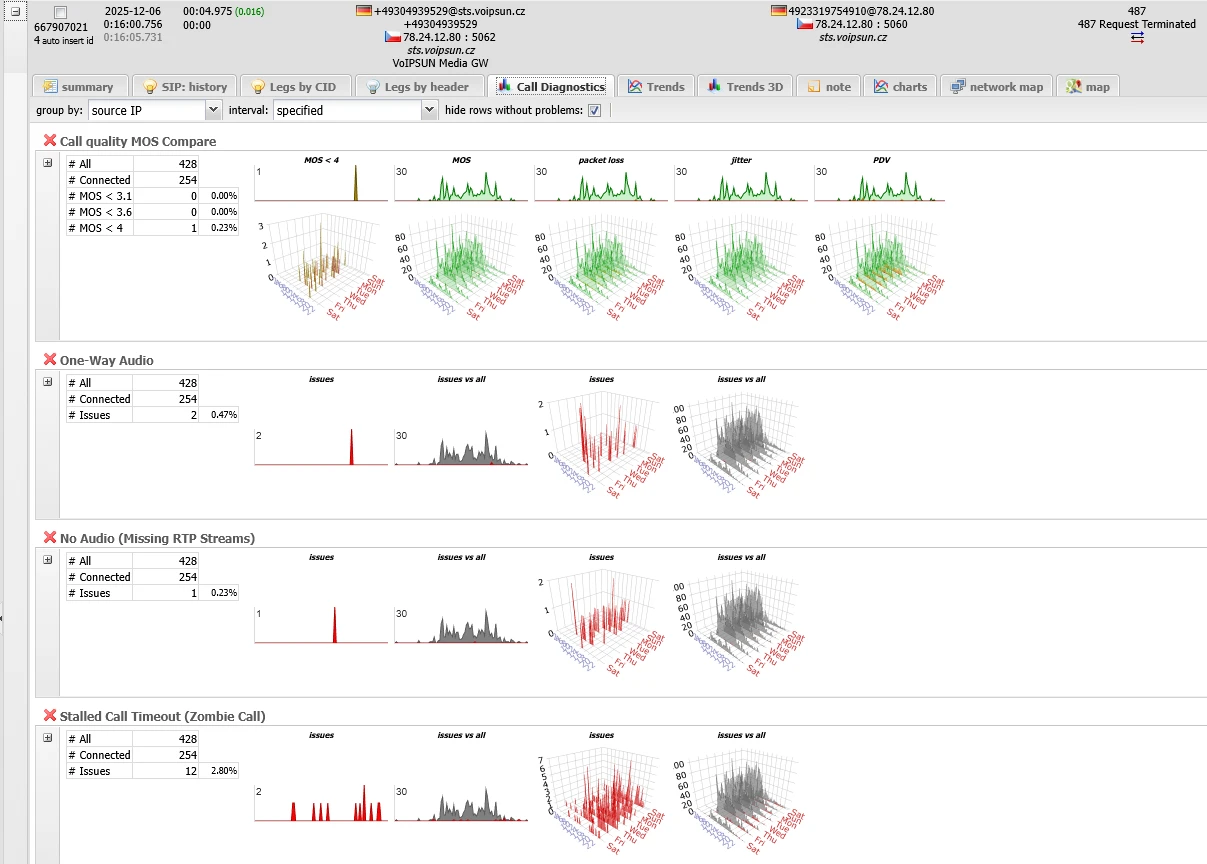
Call diagnostics: quality trends (MOS, jitter, loss) and issue distribution (one-way audio, no audio, timeouts)
Quality & Connection Issues:
- MOS Compare, One-Way Audio, No Audio (Missing RTP), Missing SRTP Key
- False Answer Supervision (FAS), Invalid RTP Stream, SIP ALG Interference
Call Flow Issues:
- Improper Hangup (Missing BYE), Missing BYE Acknowledgment, One-Way Signaling
- Various Timeouts: Absolute Duration, Post-Hangup, RTP Inactivity, No Answer, Stalled Call
- Early Hangup, Answered Without Audio, SIP Packet Limit, Sniffer Shutdown
Scheduled Reports
- Any Dashboard as Report - Convert any dashboard view into a daily or weekly scheduled report
- Historical Archive - Reports automatically saved for easy historical access and comparison
- Multiple Formats - 2D/3D graphs, trend analysis, summary tables
- Role-Based Access - Different views for NOC, support, and management teams